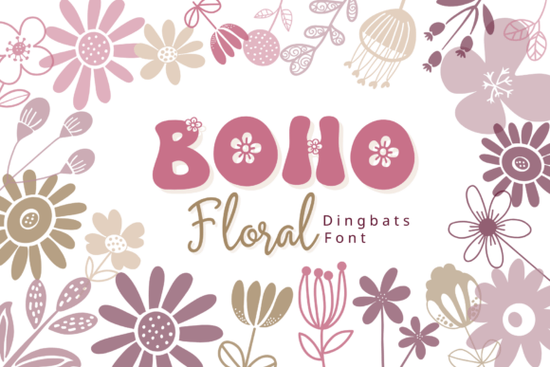
If you’ve ever wanted to add hand-drawn floral touches to your designs without spending hours illustrating each bloom, the Boho Floral Font might be exactly what you need. This isn’t a traditional lettering font instead, it’s a dingbat font where every key on your keyboard maps to a unique boho-style flower or leaf. Type “A,” and you get a daisy. Type “7,” and a delicate wildflower stem appears. It’s that simple.
Designed with crafters, small business owners, and digital creators in mind, this font brings organic charm to projects like wedding stationery, planner pages, branding kits, and social media graphics. Because each glyph is carefully drawn with soft lines and earthy aesthetics, your layouts instantly feel warm, whimsical, and cohesive no vector skills required.
How does a dingbat font like Boho Floral actually work?
Unlike regular fonts that display letters and words, dingbat fonts assign decorative symbols to standard keyboard characters. With Boho Floral, the full alphabet (both uppercase and lowercase) plus numbers 0–9 each correspond to a different floral element. You can use it in any software that supports OpenType fonts think Canva, Adobe Illustrator, Photoshop, Affinity Designer, or even Microsoft Word.
Just select the font, type a few characters, and watch your design fill with blossoms, buds, leaves, and stems. Want a border of mixed florals? Type “AbC3dE” and adjust spacing or size as needed. Need a single accent for a sticker or logo? Hit one key, and you’re done.
What kinds of projects pair well with this style?
The boho aesthetic think relaxed, nature-inspired, and gently feminine fits beautifully with several popular creative niches:
- Wedding and event invitations: Use floral clusters as corner accents or divider elements.
- Planner stickers and journal kits: Add seasonal blooms to weekly spreads or habit trackers.
- Print-on-demand products: Design mugs, totes, or phone cases with minimalist botanical arrangements.
- Social media templates: Create Instagram story frames or Pinterest pins with subtle floral flair.
- Branding for wellness or lifestyle businesses: Complement logos for yoga studios, herbal shops, or handmade skincare lines.
Because the illustrations are clean and not overly detailed, they scale well from tiny icons on a business card to large prints on wall art. And since everything lives inside a font file, you avoid licensing hassles that come with clipart bundles.
Can I customize the colors and layout?
Absolutely. Once inserted, each floral glyph behaves like any other text character. That means you can:
- Change the color to match your palette (try sage green, terracotta, or dusty rose for true boho vibes)
- Resize without losing quality
- Rotate or flip individual elements
- Layer multiple glyphs to build custom bouquets or wreaths
You’re not locked into the default look. In fact, many users combine Boho Floral with script fonts or sans-serifs to create balanced, textured compositions. For example, pair a modern sans-serif headline with a trailing vine made from typing “QrStU” beneath it.
If you're curious about how this font compares to similar options, take a look at our full collection of boho-themed dingbat fonts each offers its own twist on botanical design.
Where can I find and install it?
The Boho Floral Font is available through Creative Fabrica, a trusted marketplace for design assets used by millions of creators. You can browse it alongside thousands of other handcrafted fonts and graphics. To see the latest version and user reviews, check out the official listing: Boho Floral Font.
Installation is straightforward: download the OTF or TTF file, install it on your system (just double-click and hit “Install” on most computers), then open your favorite design app and start typing. No plugins or special tools needed.
Before you start designing, keep these tips in mind:
- Test spacing first: Some glyphs may overlap if typed too closely. Adjust letter-spacing (tracking) in your software for cleaner results.
- Use consistently: Stick to 2–3 different glyphs per design to avoid visual clutter.
- Pair thoughtfully: Avoid combining with other highly decorative fonts let the florals shine.
- Check licensing: The standard Creative Fabrica license covers personal and commercial use, including POD, but always review the terms for your specific project.
Whether you’re making greeting cards for Etsy, designing a brand identity, or just adding joy to your bullet journal, the Boho Floral Font saves time while delivering handcrafted charm. With every keystroke, you’re not just typing you’re planting a little garden.
Try It Free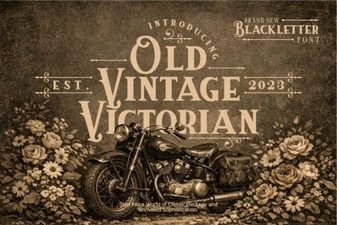 Vintage Victorian Fonts for Modern Design Projects
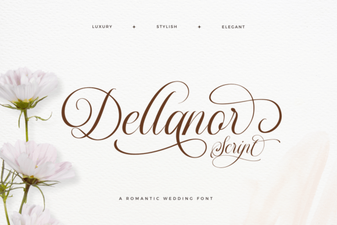 Creative Projects with Dellanor Script Font
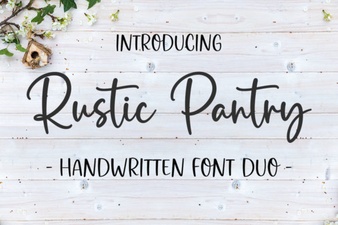 Rustic Pantry Fonts for Country Kitchen Designs
 Free Lovers Barbie Font for Your Creative Designs
 Craft Retro Designs with Vintage Typewriter Fonts
 Cralione Script: Elegant Fonts for Creative Design