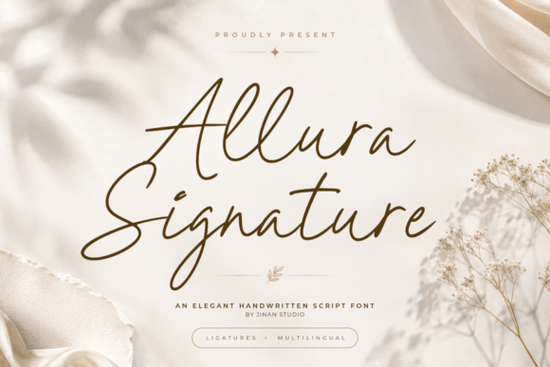
If you're looking for a handwritten script font that blends elegance with modern readability, Allura Signature Font is worth considering. Designed with smooth, flowing strokes and authentic signature-style details, it brings a refined yet approachable feel to everything from wedding stationery to luxury branding.
Unlike overly ornate scripts that can become hard to read at smaller sizes, Allura Signature maintains clarity without sacrificing style. Its letterforms are carefully balanced graceful enough for high-end design work, but clean enough to use in practical applications like packaging labels or social media quotes.
What kinds of projects work best with Allura Signature?
This font shines in contexts where sophistication matters. Think:
- Wedding invitations and save-the-dates – Pair it with minimalist layouts for timeless elegance.
- Beauty and fashion branding – Ideal for product labels, lookbooks, or boutique logos.
- Social media templates – Adds personality to quote graphics or Instagram story overlays.
- Business cards and letterheads – Gives a personal, handcrafted impression without looking messy.
Because of its natural flow and consistent stroke weight, it also works well for longer phrases something many script fonts struggle with. If you’ve ever tried using a decorative script for a full sentence and found it illegible, Allura Signature avoids that pitfall.
How does it compare to other handwritten fonts?
Not all script fonts are created equal. Some lean rustic (like Rustic Pantry), others feel more casual or holiday-specific (such as Family Holiday). Allura Signature sits firmly in the “luxury handwritten” category polished, intentional, and versatile.
For those who need multiple elegant options, bundles like the Wedding 10 Bundle offer variety, but if you’re after one go-to font that delivers consistent quality across projects, Allura stands out on its own.
It’s also worth noting how it differs from similar styles like Reflect Handwritten, which has a slightly bolder, more expressive character. Allura Signature is subtler think fine-tip pen on premium paper rather than brushstroke energy.
Tips for using Allura Signature effectively
To get the most out of this font, keep these practical pointers in mind:
- Avoid tight spacing. Script fonts need room to breathe. Increase letter-spacing slightly if your design feels cramped.
- Pair it wisely. Combine with a simple sans-serif (like Montserrat or Lato) for contrast and balance.
- Use uppercase sparingly. The lowercase letters carry the font’s natural rhythm; all-caps can disrupt its flow.
- Test at real-world sizes. What looks beautiful at 72pt might lose detail at 10pt always preview how it appears in your final output.
For print-on-demand sellers, this font translates well to mugs, tote bags, and apparel because its lines are clean and not overly thin. Just ensure your mockups reflect actual print resolution so delicate curves don’t disappear.
Who should consider this font?
Allura Signature is especially useful for:
- Small business owners creating their own branding materials
- DIY crafters making personalized gifts or wedding decor
- Graphic designers building client assets for beauty, wellness, or lifestyle brands
- Photographers adding subtle text overlays to images
It’s not meant for technical documents or body text but for moments when you want your typography to feel human, intentional, and quietly luxurious.
Before you download, ask yourself: Do I need a script that feels both personal and professional? If yes, Allura Signature delivers exactly that without gimmicks or unnecessary flourishes.
Quick checklist before you use Allura Signature Font
- ✅ Confirm your project calls for elegance over playfulness
- ✅ Test readability at your intended size
- ✅ Pair with a neutral, legible secondary font
- ✅ Check licensing terms if using for commercial products
- ✅ Download from a trusted source like Creative Fabrica to ensure you get the full character set and OpenType features
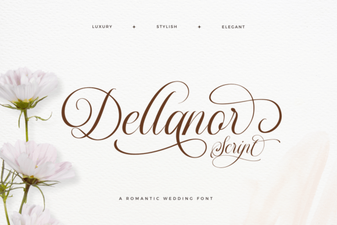 Creative Projects with Dellanor Script Font
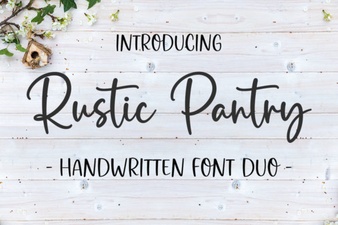 Rustic Pantry Fonts for Country Kitchen Designs
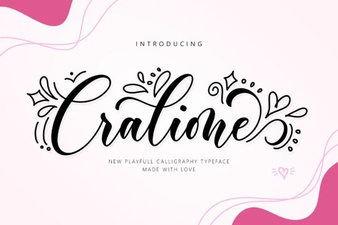 Cralione Script: Elegant Fonts for Creative Design
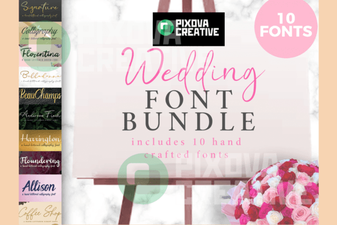 A Creative Font Bundle for Your Wedding Website
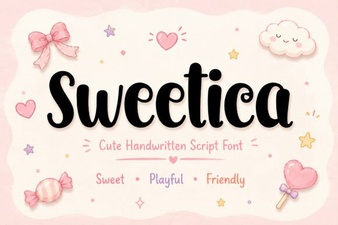 Sweetica Font: Elevate Your Creative Design Projects
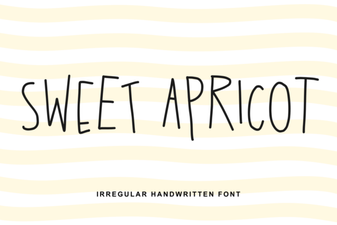 Sweet Apricot Font: Creative Design & Typography Ideas